You can't manage what you can't see. Scan your network for TLS certificates in use - live endpoints, whole subnets, and IP ranges - and get one de-duplicated inventory of every one, with expiry, issuer, key, and exactly where it's deployed.
Certificate Discovery expands your targets - a single host, a host:port, a CIDR block such as 10.0.0.0/24, or an IP range - into concrete endpoints, performs a real TLS handshake against each (capturing even expired, self-signed, or untrusted certificates), and collapses everything it finds into a single inventory de-duplicated by thumbprint. One certificate deployed across a dozen hosts shows as one row listing all twelve locations. It's the discovery step upstream of Certificate Validator (validate what's found) and Certificate Manager (renew it) - because most expired-certificate outages come from a certificate nobody was tracking.
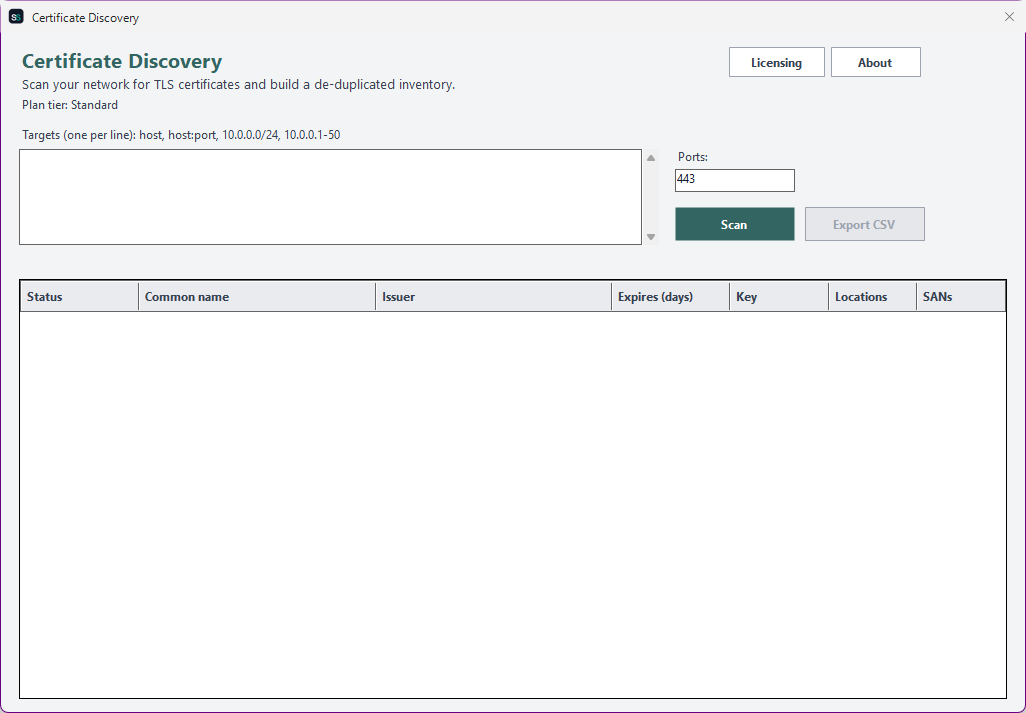
The real app. Click to zoom in, hover the markers to see what each part does.
Hover a marker for details, or click the screenshot to zoom in.
Point it at a single host, a host:port, a whole CIDR block such as 10.0.0.0/24, or an IP range - across as many ports as you like. Oversized blocks are guarded so a stray /8 can't run away.
Each endpoint gets a real TLS handshake that captures whatever certificate it presents - even expired, self-signed, or untrusted ones - so nothing hides from the inventory.
Certificates are collapsed by thumbprint: one certificate deployed across a dozen hosts is one row listing all twelve locations - not twelve rows to reconcile by hand.
Every row shows days-to-expiry and an Expired / Expiring / Valid status, plus issuer, key algorithm and size, signature algorithm, and every subject alternative name.
Export the inventory for reporting, ticketing, or hand-off to renewal - and (on higher tiers) save target lists and keep an inventory history to spot new or changed certificates over time.
Re-scan your estate on a schedule via Windows Task Scheduler, or drive it from your own scripts with CertificateDiscovery.exe --discover ... - a distinct exit code fires when anything is expired or expiring.
Pick how much automation you need, then choose once-off or monthly billing. Certificate Discovery licenses per machine, not by certificate volume.
One-time payment - yours to keep, no subscription.
For checking one endpoint at a time.
Single-endpoint discovery - scan one host or host:port - full inventory detail on screen.
For scanning a whole estate at once.
Everything in Standard, plus bulk discovery across CIDR blocks and IP ranges, and CSV export.
For tracking your estate over time.
Everything in Standard+, plus saved target lists and a persisted inventory history to spot new or changed certificates.
For fully unattended discovery.
Everything in Advanced, plus scheduled discovery via Task Scheduler and a headless CLI.
All plans are billed in USD. Prices in other currencies are an approximate conversion for your reference, based on indicative exchange rates - your invoice will be issued in USD.
Standard covers the core of Certificate Discovery: point it at one host or host:port and see the full inventory detail - issuer, validity dates, key algorithm and size, signature algorithm, SANs, and expiry status. No bulk scanning, export, or automation at this tier, by design.
Best for: Anyone who wants to inspect what a single endpoint is presenting.
Standard+ adds bulk discovery - scan whole CIDR blocks and IP ranges across as many ports as you like in one run - plus CSV export of the de-duplicated inventory for reporting or hand-off to renewal. Everything from Standard is included.
Best for: Anyone mapping the certificates across a whole network segment.
Advanced adds saved target lists - name and re-use the estate you scan - plus a persisted inventory history, so you can see which certificates are new, changed, or newly-expiring since the last run. Everything from Standard+ is included.
Best for: Teams that track their certificate estate over time, not just once.
Professional adds scheduled discovery (a saved target list re-scanned via Windows Task Scheduler) and a headless CLI (CertificateDiscovery.exe --discover ..., with a distinct exit code that fires when any certificate is expired or expiring, so scripts and monitors can alert on it). Everything from Advanced is included.
Best for: Organizations that want their certificate inventory kept current automatically, not rebuilt by hand.

Prices shown are a suggested starting point, not final quotes - contact us to confirm your plan.
Contact us for current pricing and licensing options.
Contact us